
Work time tracking by industry: What companies need to know
For almost every type of employment, the rules on time tracking in the workplace are set by law. On top of that, some industries face stricter time tracking requirements than others. We explain the key points on how employers can record working hours correctly.
Key takeaways
- When recording working hours, the legal basis is the Working Hours Act (Arbeitszeitgesetz) and the Federal Labour Court (Bundesarbeitsgericht) ruling on mandatory time recording.
- According to a study, most companies currently use electronic time tracking on the computer.
- When choosing a time tracking system, the best place to start is an internal requirements specification.
Time tracking in your company: the facts at a glance
| Topic | Requirement |
|---|---|
| What must be recorded? | Start, end and duration of all working time, including breaks and overtime |
| How? | The system must be objective, reliable and accessible |
| Which system? | Digital is recommended, but paper-based is also possible if the standards are met |
| Retention | At least 2 years (for relevant cases) |
| Legal basis | CJEU (2019), Federal Labour Court (2022), Section 3(2) No. 1 Occupational Health and Safety Act (ArbSchG), Section 16 Working Hours Act (ArbZG) |
| Penalties? | Possible for existing record-keeping obligations (ArbZG), but no explicit penalties yet for breaching the Federal Labour Court ruling |
Time tracking by industry: examples and solutions
For some businesses, time tracking in the workplace can feel like extra admin. Common problems include a lack of visibility over overtime, employees recording their time in different ways, and having to update working hours manually after the fact. The solution is usually simple, mobile, digital time tracking that fits the size and structure of the business.
Time tracking in the skilled trades
Time tracking in the skilled trades comes with its own challenges. Many tasks don’t obviously look like work, but they still count as working time: carrying and preparing materials, putting on protective clothing, starting up machinery or cleaning company vehicles. Because these tasks are often done “on the side”, they easily go unrecorded. Typical problems: employees only record the hours spent on the actual customer job, overtime isn’t documented consistently, and break rules aren’t strictly followed.
This is especially clear in construction, where timesheets are needed for payroll and are also required by law as proof. Accurate records of all working time, including travel time, set-up time and breaks, are essential here. Practical solutions include:
1. Mobile time tracking via app
Example: A painting and decorating business with 12 employees installs a time tracking app on every smartphone. Employees start and stop their working time directly on site.
Activities are categorised: customer job, travel time, material transport, tool set-up, breaks.
Benefit: Time tracking is legally compliant, and timesheets are created automatically.
2. On-site terminals / time clocks
Example: A roofing company with several sites running at once uses mobile terminals at each location. Employees clock in and out, and the system administrator can check every day that all hours have been recorded.
Benefit: Works offline and syncs the data with the office later, ideally straight into your HR software. Perfect for large construction sites.
How do companies currently track time?
According to a recent study, companies currently record working time as follows (multiple answers possible):
31%: Electronic time tracking on the computer 24%: Fixed time recording systems (e.g. chip or transponder) 19%: Traditional time clock 18%: Smartphone app 16%: Excel spreadsheet 13%: Handwritten timesheet
Time tracking in care and hospitality
In general, digital time tracking makes life much easier for HR teams across many industries. For example, it offers:
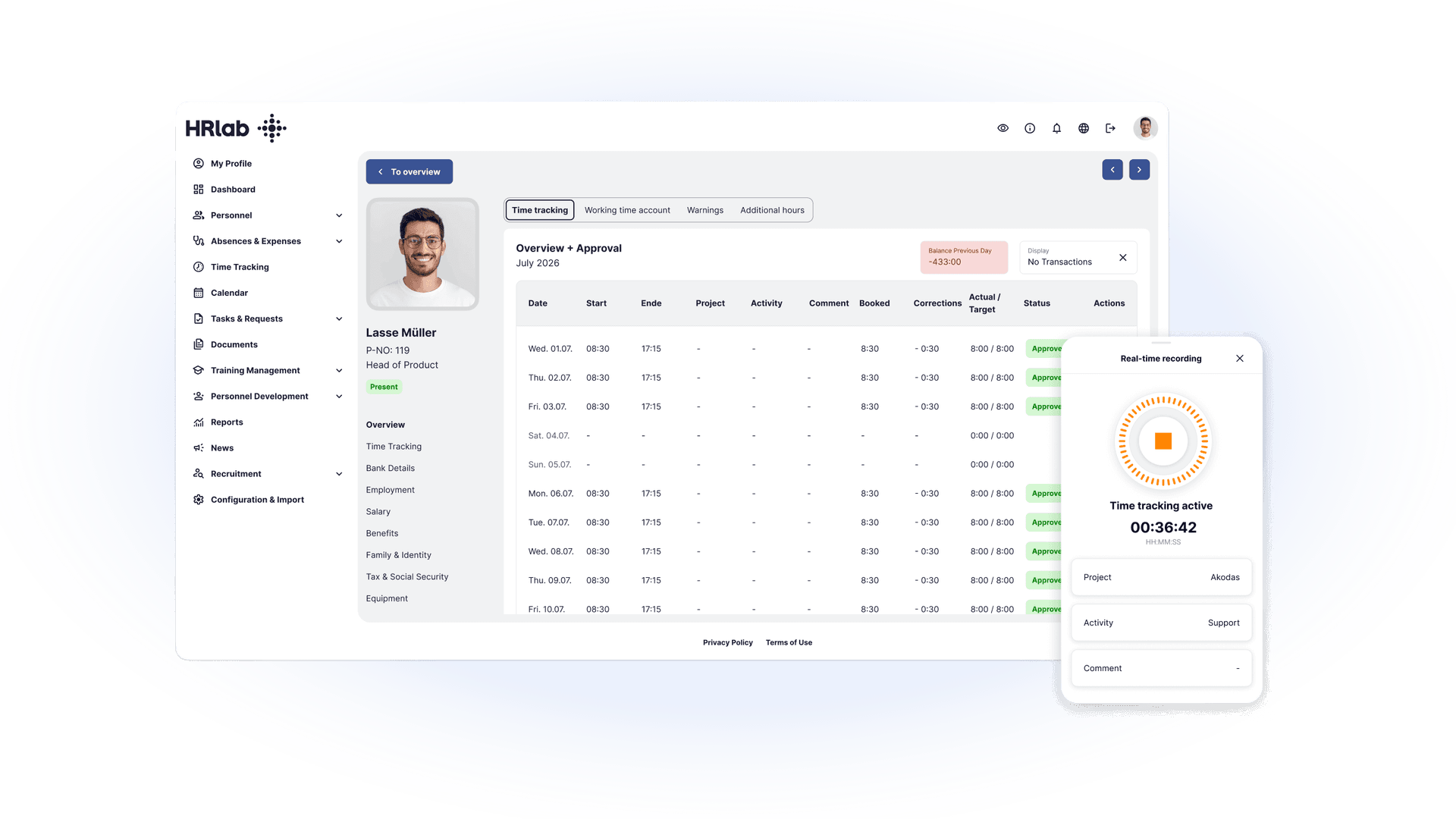
- Mobile time tracking: Employees record their working hours directly on a smartphone or tablet. Ideal for care staff on the move or service staff working changing shifts.
- Simple shift planning: A clear view of all employees, shifts and breaks, including last-minute changes and holiday cover. Automatic break and overtime calculation: The system applies statutory break rules and calculates overtime automatically, e.g. for night shifts or long shifts in hospitality.
- Activity categories: Care staff can log time for direct patient care, documentation or travel between visits. Hospitality staff can log service, kitchen duty, preparation and clean-up.
- Transparency and corrections: Employees can view their hours at any time and report corrections, while employers review the entries regularly.
- Offline mode: For visits to homes without Wi-Fi or for field work in care, time tracking also works offline and syncs automatically later.
- Easy analysis and reporting: Export data for payroll, holiday calculations or controlling. This saves time and reduces errors.
- Legally compliant records: Time tracking meets legal requirements, e.g. under the Minimum Wage Act (Mindestlohngesetz) and for proof of night and public holiday shifts.
Requirements specification for implementation
Choosing a time tracking system works like choosing any other software: the best place to start is an internal requirements specification. Make sure it covers the following points:
Description of the starting point: current state Definition of requirements: target state Budget and technical requirements
We also strongly recommend building enough buffer to replace your manual time tracking with a digital system, so you can deal with unexpected challenges in advance. Make sure the wording in your requirements specification is precise as well. This prevents misunderstandings and makes the document easier to work with.
The legal basis
Companies based in Germany are generally subject to the Working Hours Act (Arbeitszeitgesetz). Among other things, it regulates working hours, breaks and rest periods, as well as work on Sundays and public holidays.
Since the Federal Labour Court ruling, employers are also required to record working time. This means employers must introduce a system that allows employees to record the start, duration and end of their working hours, including breaks and overtime. It’s important to note, however, that it hasn’t yet been defined exactly which metrics employers must record, or what type of time tracking system they must introduce. In any case, the start, end and duration of working hours must be recorded.
What counts as working time?
Working time is the foundation of time tracking and covers the period between the start and end of work. Working time includes, for example:
- Regular working hours as set out in the contract
- Business travel during regular working hours
- Mandatory training and development
- Time spent changing (if workwear is required) and toilet breaks
Working time does not include, for example:
- Coffee breaks
- Breaks, provided they are clearly separated from working time and no work is performed
- Commuting to and from work, unless it is business travel
- Smoking breaks, depending on internal company rules
- Voluntary training and development
Can employers correct time records?
In some cases, employers may need to correct time records, for example if entries are wrong or hours need to be added afterwards. It’s important that every change is documented so it remains traceable. A transparent correction policy protects both the company and its employees, and ensures that the legal requirements for recording working time are met.
Right to view and print time records
Employees are entitled to view and print their time records, so they can check their start and end times, breaks and overtime at any time. This right supports transparency and builds trust between employers and employees. Ideally, your time tracking system should make it easy for employees to view or export their own working hours at any time, for example via an app or a web-based portal.
FAQ
How must my working time be recorded?
You must record the start, end and duration of your daily working time, as well as your breaks. This can be done digitally or on paper, as long as the records are complete, tamper-proof and traceable at all times.
How can I record my working hours?
You can record your working hours digitally via an app, on a PC or at a terminal, including when working from home or on the go. Handwritten records are also allowed, as long as they are accurate, complete and traceable.
How can I track my working time for free?
You can use free digital tools or apps to record the start, end and breaks of your working time. Simple Excel spreadsheets or handwritten timesheets also work, as long as the records are complete and traceable.