
Workflows & Task Management
HRlab’s intelligent workflow and task management supports any employee-related processes, enabling significant efficiency wins in your daily HR work. Create exactly the workflows you need and enjoy an automated process with clearly assigned responsibilities.
Cloud-based
Thanks to cloud technology (SaaS), HRlab is ready to use in no time, intuitive to handle, and adapts flexibly to your HR processes.
Focus on SMEs
HRlab is tailored specifically to small and medium-sized enterprises as well as growing businesses with up to 2,000 employees.
Maximum Data Security
HRlab is hosted exclusively in high-security data centers in Kempten and Berlin – ISO-certified and GDPR-compliant.
Maximum Flexibility in Task Distribution
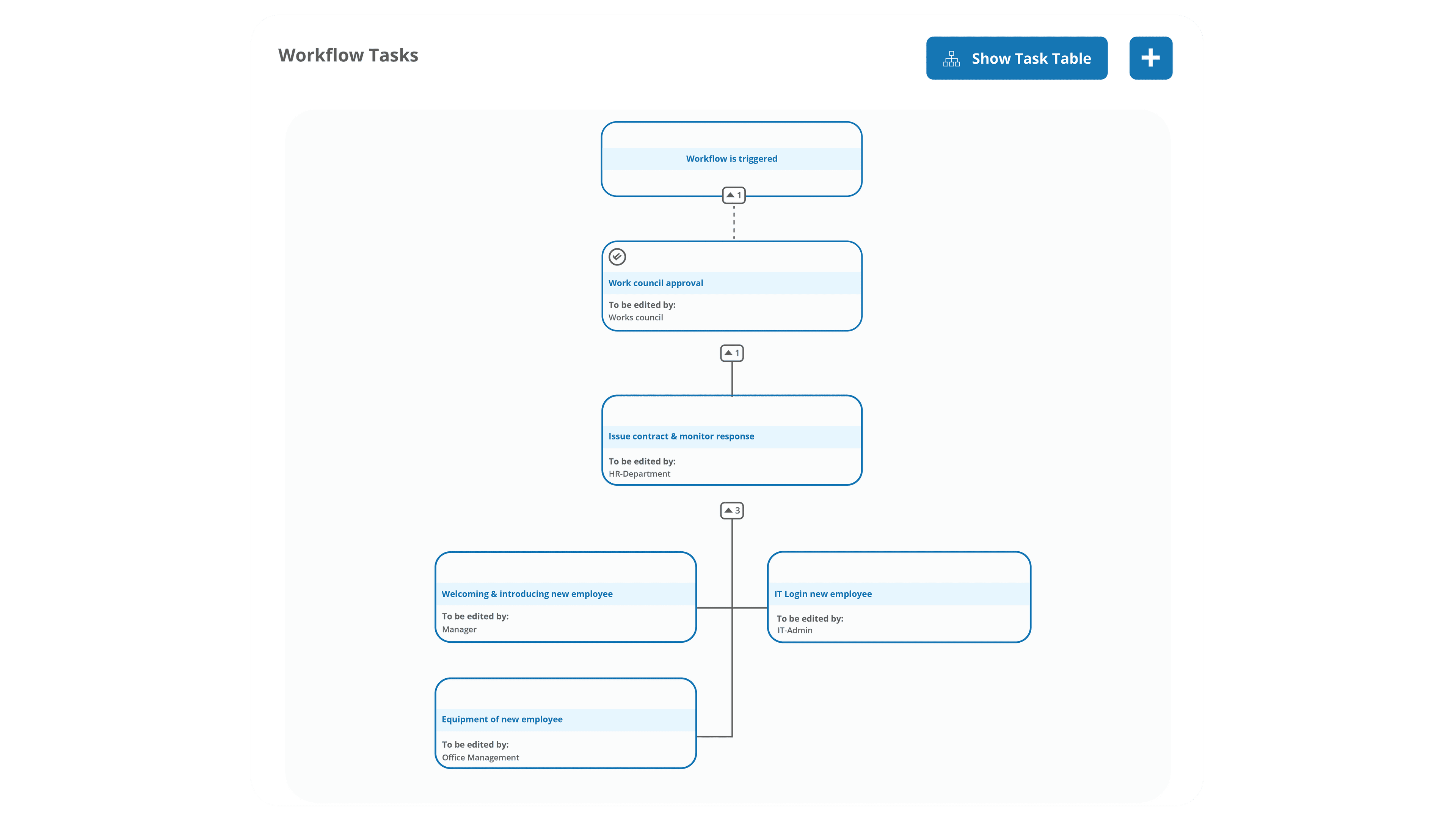
From onboarding and offboarding to vacation requests and performance reviews—processes are mapped 100% flexibly and assigned to the respective areas of responsibility. The system sends out corresponding reminders automatically. This ensures that all parties involved are kept informed, deadlines are met, and all documents are created correctly—completely automatically.
Automated Workflow Activation
You define individually when and why a workflow is triggered automatically. Be it contract changes, department transfers, or absences. This high degree of flexibility in mapping employee-related processes enables entirely new levels of efficiency.
Automated Workflow Activation
When and why a workflow is triggered automatically is defined per use case, such as a contract update, department change or absences. Mapping employee-related processes with this level of flexibility enables entirely new levels of efficiency gains.
HRlab: The HR Software with Workflows & Task Management
Create Intelligent Workflows & Tasks in No Time
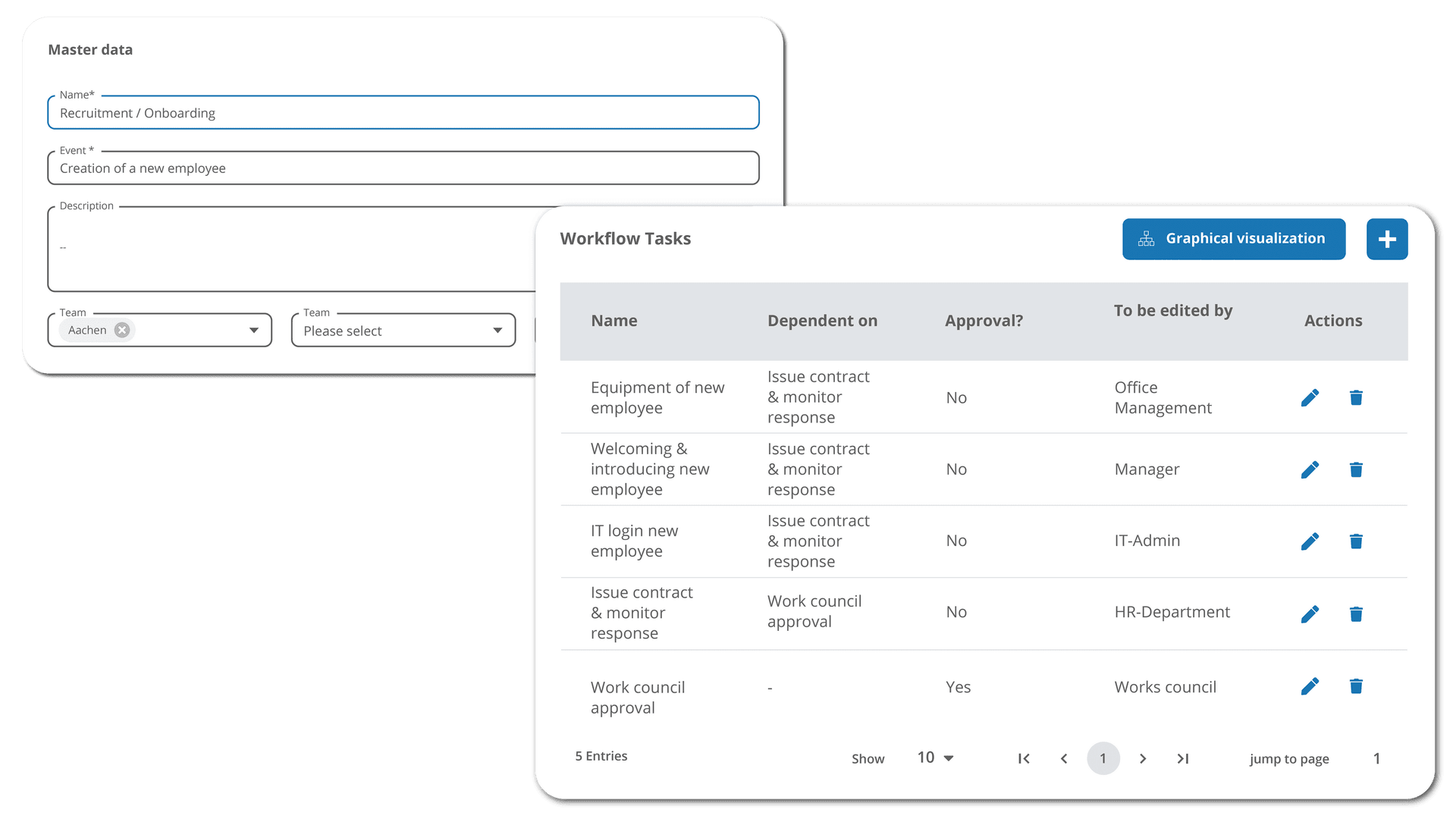
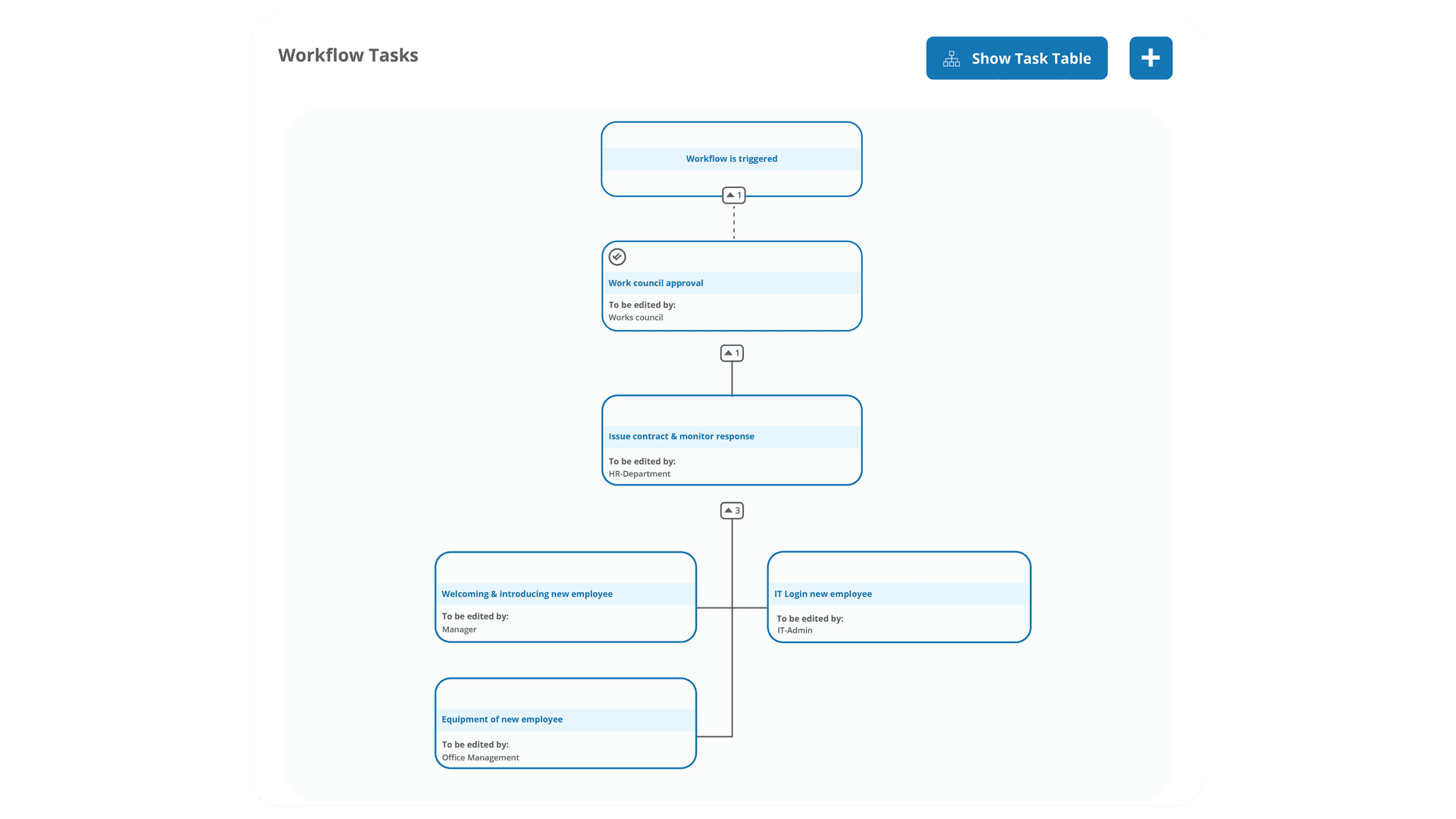
Depending on the use case, you can create a workflow and its corresponding tasks, each of which can be updated in status. In other words, employees responsible for a task can adjust its status at any time with a single click. This keeps everyone involved in the loop, and the workflow automatically moves on to the next step.
Task Filters for Maximum Clarity
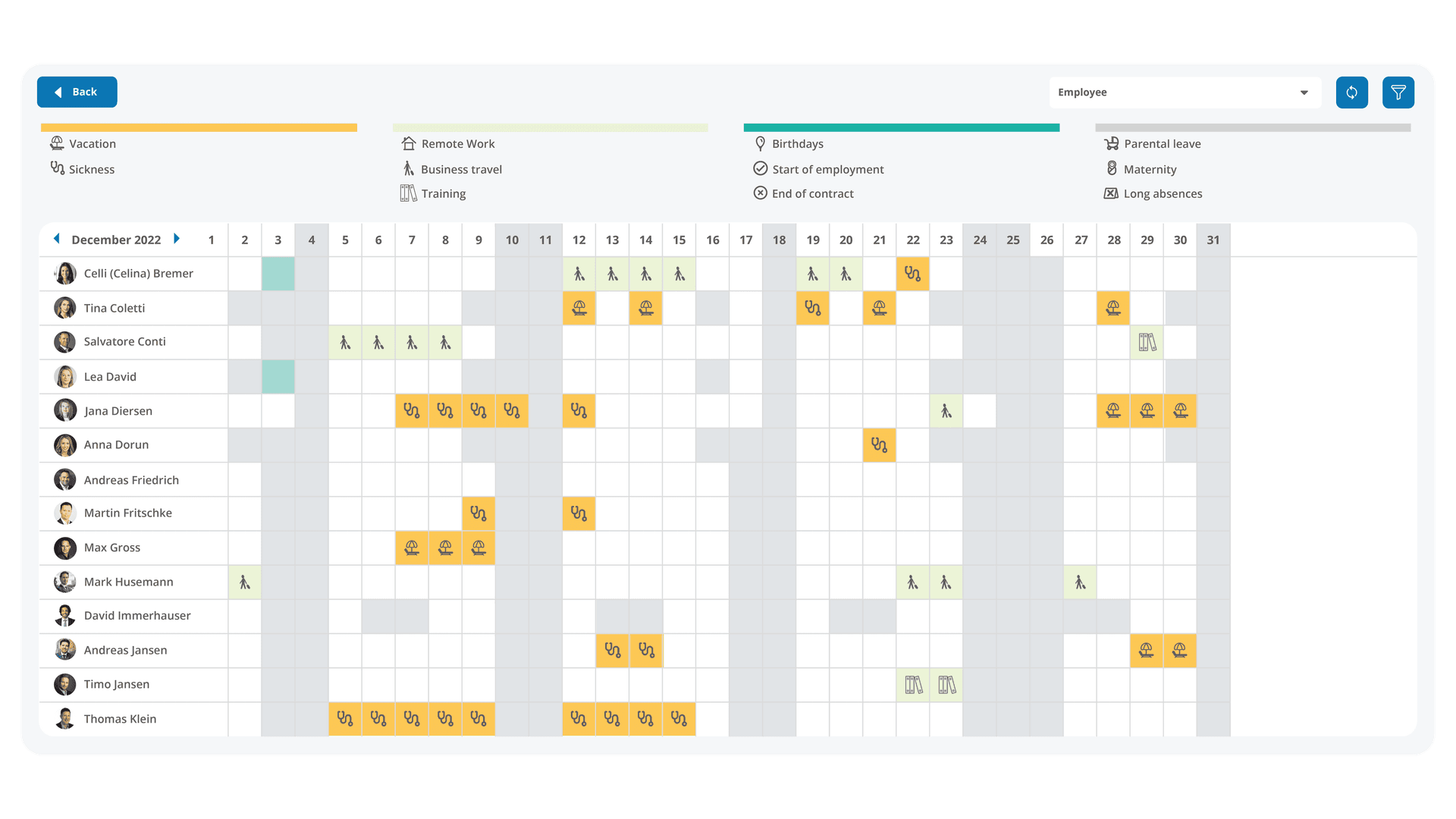
All employees have constant access to an overview of their tasks and can use filters to determine which tasks they wish to view. These tasks can include those manually assigned to employees or directly assigned through workflows. They can also contain tasks allocated to a department or a workflow team which employees are part of.
Example for the Perfect Start: Onboarding on Autopilot
A structured start is the key to motivated employees. In the onboarding workflow, you set tasks, deadlines, and responsibilities once—then HRlab takes over. From IT equipment to the first feedback review: once triggered, tasks appear exactly where they belong, right when they are due.
FAQ
Why workflow management?
Thanks to an intelligent workflow and task management, you no longer have to deal with manual processes or Excel templates! Instead, you create any kind of employee-related process once and simply benefit from an automated process going forward. Clearly assigned responsibilities and integrated calendars further facilitate daily HR work.
What triggers a workflow?
Whether it's contract changes, new colleagues, department transfers, or absences - you determine when and why a workflow is automatically triggered.
Which processes can be mapped in HRlab?
From onboarding to offboarding and feedback cycles - processes can be 100% flexible and customized according to your needs.