
Mobile Time Tracking App: Standalone Solution vs. All-in-One HR Software
Mobile time tracking apps are currently one of the most efficient methods for digitally recording working hours—whether in the office, working remotely, or on-site with clients. Whether deployed as an Android app for time tracking or an iPhone working time tracking app, hours are logged effortlessly via smartphone or tablet. We explain why this solution is so convenient for employees and when a standalone solution or an all-in-one HR software suite pays off.
Key Takeaways
- Mobile time tracking apps enable employees to record working hours via smartphone or tablet, anytime and anywhere.
- They reduce manual timesheets, spreadsheet tracking, and payroll processing errors.
- Effective apps offer reporting, project time tracking, and seamless integration into existing HR and payroll systems.
What Is a Mobile Time Tracking App?
A mobile time tracking app digitizes work hour logging, freeing the process from physical locations and specific hardware. Employees can record start times, end times, and break periods directly via the app—whether in the office, on a construction site, or on the go.
At the same time, HR teams and managers gain real-time visibility into working hours, project allocations, and resource utilization. The ultimate goal is to make processes more efficient, error-free, and transparent. Mobile accessibility lowers administrative overhead while giving employees certainty, as all hours are logged in real time and stored in an audit-proof manner.
What HR Leaders Should Look for When Making a Selection
- Legal Compliance: Adherence to working hours legislation and ECJ (European Court of Justice) mandates.
- User-Friendliness: An intuitive interface for both employees and administrators.
- Data Protection & Security: GDPR-compliant data storage and role-based access controls.
- Integration: Seamless APIs/interfaces to existing HR, ERP, or payroll systems.
- Support & Customizability: Scalability to accommodate future organizational growth and requirements.
Comparing Solutions for Mobile Time Tracking
Not all mobile time tracking apps are built the same way. Companies frequently face a decision: Is a specialized standalone solution sufficient, or is an integrated HR software suite the more sustainable choice?
HR managers should view mobile time tracking not merely as a technical tool for logging working hours, but as a core component of an overarching HR digitization strategy. Automated workflows, real-time data, and integrated processes relieve the administrative burden on the HR department, reduce error sources, and strengthen transparency and trust across the organization.
Consequently, for many organizations, the question is less about whether to introduce mobile time tracking, but rather how to embed it into their existing IT landscape. Broadly speaking, companies choose between two primary approaches:
- A specialized mobile time tracking app as an independent standalone solution, or
- An all-in-one HR software suite (such as HRlab), where time tracking runs as an integrated module.
A standalone solution is particularly well-suited for companies that need a fast, highly focused tool for recording working hours—such as a specialized mobile time tracking app for trade and field teams on construction sites—without planning a comprehensive overhaul of their HR IT architecture.
Conversely, an integrated HR software suite is recommended when a company aims to digitize and unify additional core HR processes alongside time tracking—such as master data management, absence management, payroll, or recruiting—within a single, consolidated platform.
The comparison below highlights the key differences between both approaches, helping HR decision-makers evaluate which solution best aligns with their organizational structure, growth strategy, and IT architecture.
Standalone Solution vs. All-in-One HR Software
| Aspect | Mobile Time Tracking App (Standalone Solution) | All-in-One HR Software |
|---|---|---|
| Objective | Pure time tracking of working hours, breaks, and projects | Comprehensive coverage of all HR processes including time tracking, absence management, payroll, and recruiting |
| Focus | Specialized in time management | Holistic HR approach |
| Flexibility | Mobile access via smartphone or tablet | Typically mobile and desktop, but with a broader range of functions |
| Features | Working time tracking, project time tracking, absence tracking, reporting | Personnel management, payroll processing, recruiting, employee development, integrated time tracking |
| Integration | May need to be integrated into external systems | Everything in one system, APIs/interfaces are usually included |
| Advantage | Quick to deploy, intuitive interface, ideal for field and mobile teams | Centralized database, fewer system silos, unified HR processes |
| Disadvantage | Restricted scope of features | Higher implementation effort and cost structure |
Mobile Time Tracking with HRlab
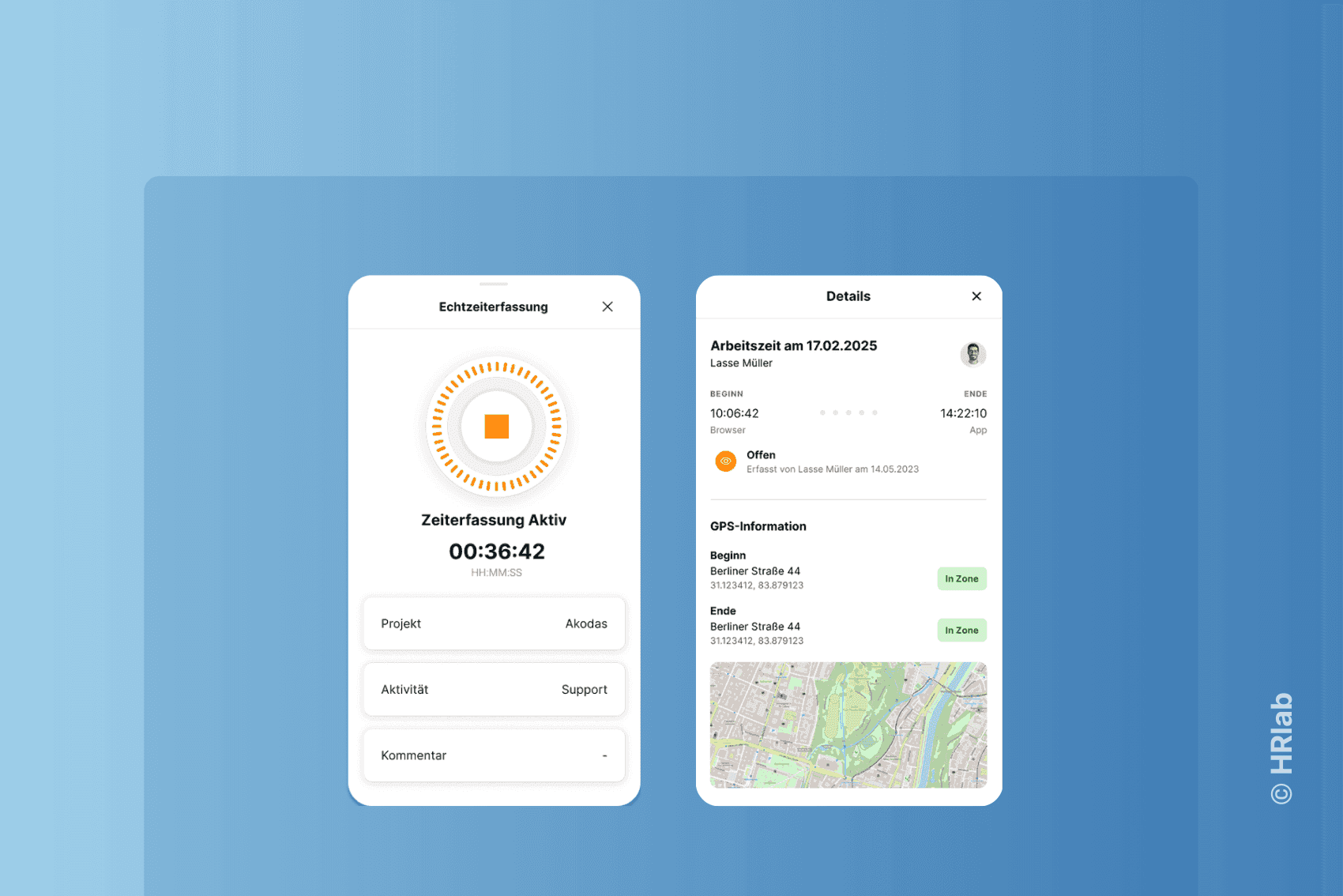
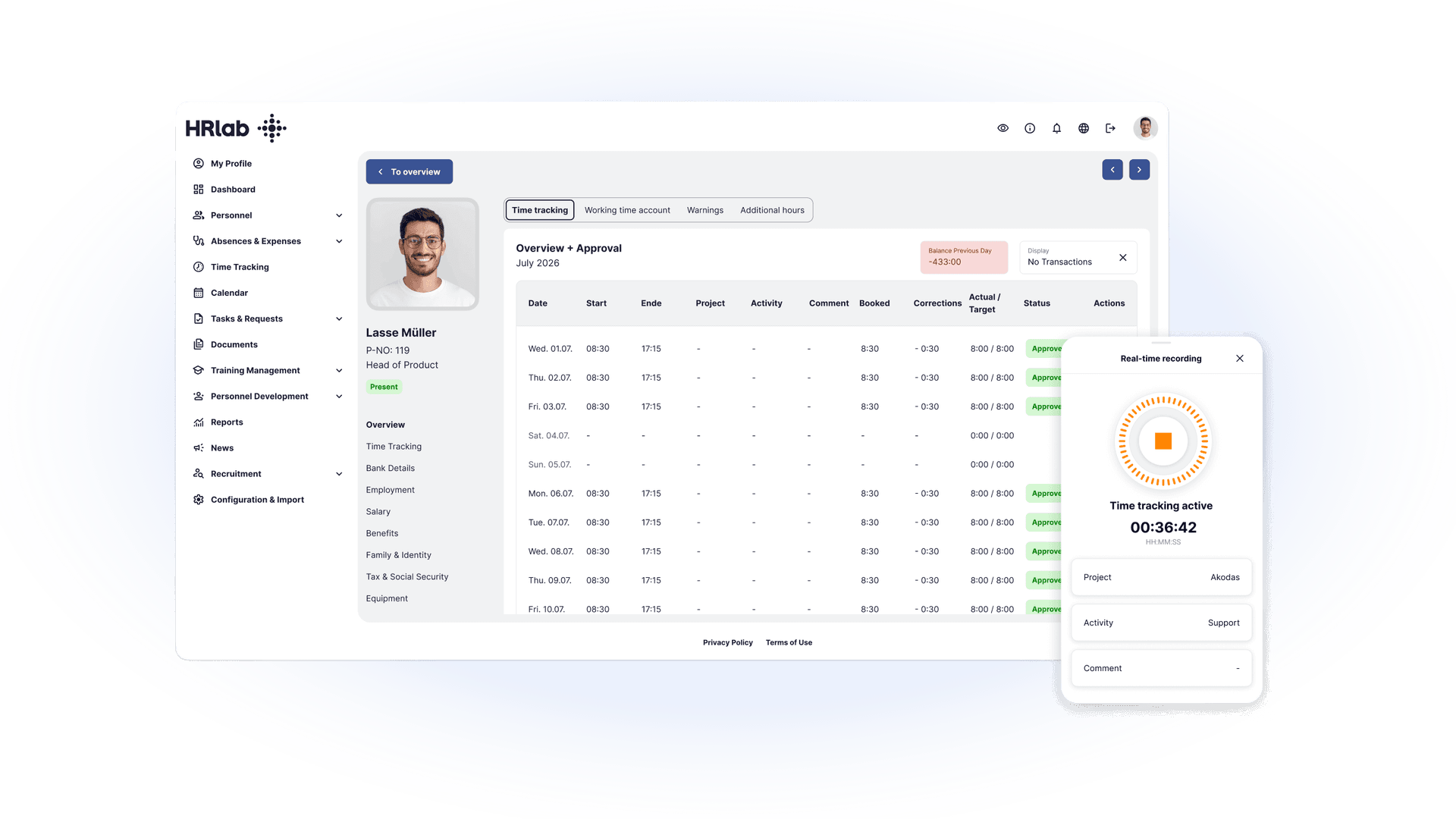
With HRlab, you track working hours digitally, remotely, and reliably—whether in the office, working from home, or directly on-site at job sites and field locations. The system adapts flexibly to your workflows, ensuring all recorded time is captured centrally and accurately.
Core Features: What Must a Professional Time Tracking App Offer?
Regardless of which system architecture you choose, to comply with the requirements of the Working Hours Act (ArbZG) and support hybrid work models, the following five core features form the essential foundation of professional software:
| Feature | Description |
|---|---|
| Working Time Tracking | Start/stop working hours, automated break management, and overtime accounts directly via app features. |
| Project Time Tracking | Log time against specific projects or clients; provides an ideal foundation for project controlling. |
| Digital Timesheets | Digital timesheets including service confirmation directly on an iPad or smartphone. |
| Reporting & Analytics | Real-time dashboards tailored for HR teams and management. |
| Platforms | Available as a working time account app with working time recording for Android and iOS. |
Extra Feature: Precision Through GPS Support
Mobile time tracking with GPS capability offers huge advantages, especially for field teams or staff across changing job sites. HRlab, for example, includes geofencing so that working hours are automatically recorded only when an employee enters the defined radius of a work location. This ensures seamless, transparent documentation of on-site attendance and serves as objective proof for clients and customers.
Benefits at A Glance: Why Companies Are Switching to Mobile Time Tracking
- Flexibility: Hours can be logged immediately—ideal as a working time tracking app for employees working in the field or from home.
- Accuracy: Automated calculations of working hours, breaks, and overtime eliminate manual errors. A mobile time tracking app with GPS functionality as in HRlab can also ensure entries occur directly at the correct job site.
- Transparency: Managers receive standardized reports on projects, teams, and capacity, enabling data-driven workforce planning.
- Integration: Modern apps provide seamless APIs and interfaces to payroll, HR management systems, and project management tools.
- Legal Compliance: Following the 2019 ECJ ruling on mandatory working time recording, apps support companies in easily adhering to statutory requirements.
- Data Protection: GDPR-compliant data storage and access controls ensure sensitive employee data remains secure and protected.
FAQ
Who provides time tracking solutions for mobile employees?
Numerous providers exist on the market—ranging from isolated time tracking apps to integrated HR platforms. The all-in-one HR software HRlab plays a leading role for digitized mid-sized businesses (SMEs) by seamlessly embedding mobile time management into overall HR administration.
Is there a good working time tracking app for Android and iPhone?
Yes, professional vendors like HRlab typically offer both a working time account app for iOS and an Android app for time tracking, allowing employees to use their own devices (BYOD).
Can data be transferred from the working time account app?
Yes, data can be transferred seamlessly into external systems for payroll processing or controlling via APIs/interfaces or export functions.