
Project Time Tracking Software: Control Costs & Hours Securely
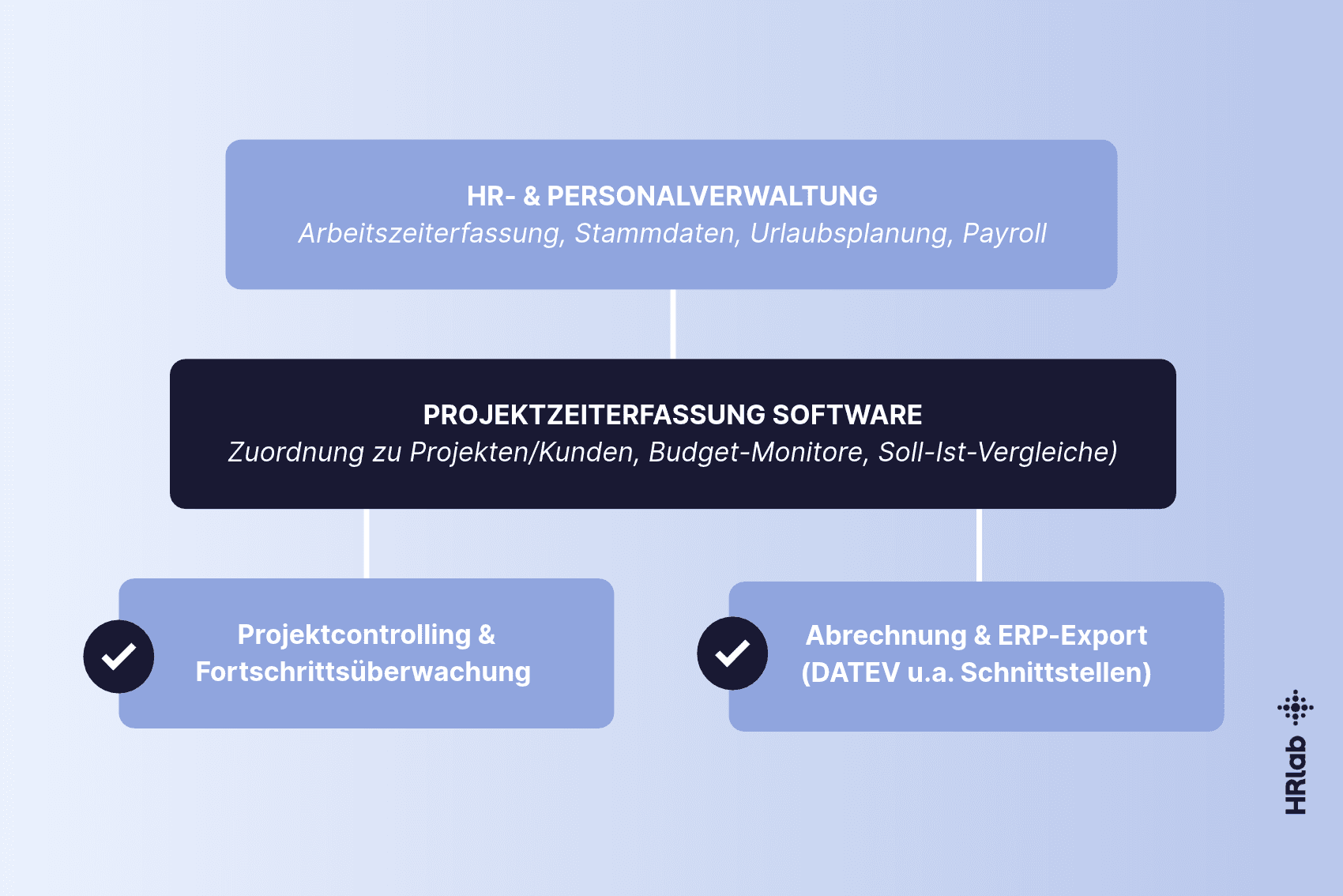
Implementing project time tracking software seamlessly connects operational project controlling with your core HR processes. This integration ensures reliable budget oversight, simplifies client billing, and guarantees compliance with regulatory frameworks.
Key Takeaways
- Project time tracking software maps logged working hours directly to specific projects, tasks, and cost centers
- It differs from general time tracking through its clear focus on profitability, budget monitoring, and auditability
- Integrated systems featuring mobile apps and API interfaces like DATEV or SAP eliminate data silos and manual re-entry
- Automated validation rules and project validity windows prevent booking errors and bloated selection menus
- Cloud-based systems ensure automated compliance with GDPR requirements, working hours acts, and ECJ rulings
What Is Project Time Tracking Software?
Project time tracking software is a digital HR and management solution designed to assign working hours accurately to specific projects, clients, mandates, or subtasks. It enables organizations to record the actual time expenditure per project in real time, monitor budgets continuously, and establish a reliable data foundation for post-calculation and client invoicing.
Core Features of Project Time Software
Flexibility via Web & Mobile App
Whether working at an office desk, visiting clients, or operating from a home office, web-based systems like HRlab support flexible tracking. Field technicians, consultants, and engineers record their billable hours directly on site using a mobile application. Automatic data synchronization ensures all entries immediately populate the central dashboard.
Integrated Controlling & Cost Tracking
Automated cost monitoring gives project managers continuous visibility over financial progress. The system consistently compares planned target hours against logged actual hours, generating proactive alerts if budget overruns threaten to occur.
Project Tracking vs. Time Tracking
In daily operations, general time tracking and project time tracking are frequently conflated, yet they serve distinct business functions that complement each other in practice.
General time tracking documents the daily start, end, and break times of the workforce. Its primary purpose is ensuring compliance with working hours legislation (such as the German Working Hours Act - ArbZG), monitoring overtime, and supplying accurate data for payroll processing.
Project time tracking builds upon those logged hours and allocates them to specific cost objects, clients, or work packages. It functions as a strategic instrument for project controlling, cost accounting, and client billing.
| Criterion | General Time Tracking | Project Time Tracking |
|---|---|---|
| Primary Goal | Legal compliance, workforce protection, payroll | Economic efficiency, post-calculation, client billing |
| Tracking Level | Clock-in, clock-out, and break times | Allocation of hours to projects, tasks, and mandates |
| Focus Area | Attendance and working time accounts | Project budgets, hourly rates, and target vs. actual comparisons |
| Primary Users | Entire workforce, HR department, works council | HR managers, project leaders, controlling, executive management |
| System Interfaces | Payroll software (e.g., DATEV), time management | HR software, ERP systems, CRM, invoicing solutions |
Practical Example: Project Tracking in HRlab
Examining real-world operations demonstrates how integrated project time tracking functions within HRlab. Instead of managing disconnected software tools, project assignment couples directly with core time tracking.
Project and Task Setup
Administrators create and configure projects centrally. Project visibility can apply company-wide or restrict precisely to specific locations, departments, or teams. Setting validity periods for each project prevents bloated drop-down menus and minimizes booking errors by staff. Furthermore, administrators assign specific activities to projects, optionally restricting them to designated system roles.
Daily Time Logging Workflows
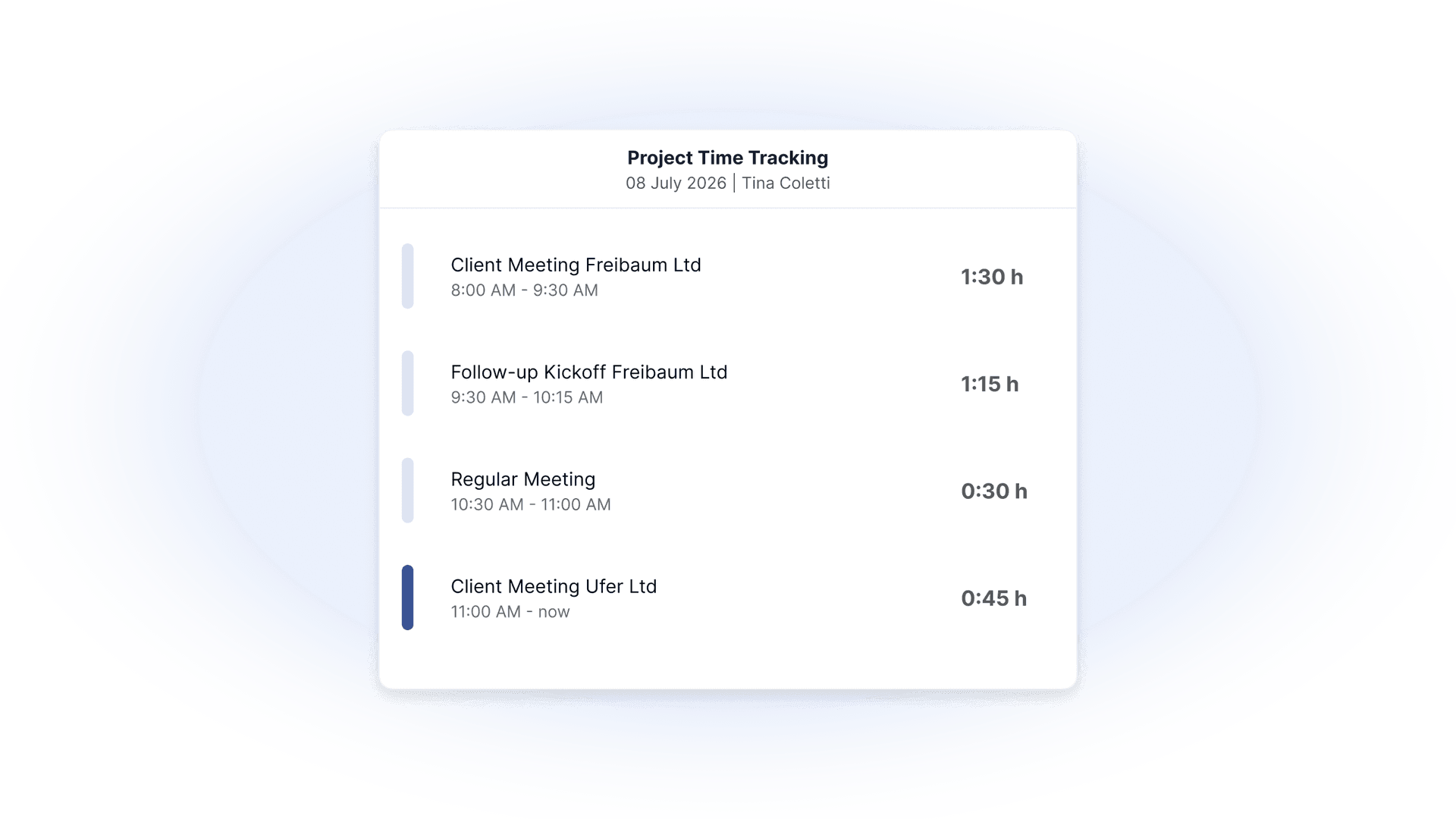
Employees log hours frictionlessly via the main dashboard or dedicated time-tracking masks. Staff select the applicable project and task at the start of their shift to begin tracking. If an entry is missed during a hectic workday, HRlab supports retroactive project distribution based strictly on net working time (gross hours minus statutory breaks) as a reliable distribution baseline.
Unified Travel Expense Management
In addition to project hours, HRlab links project-related business travel directly to expense management workflows. Field staff and consulting teams log travel times, mileage allowances, and per diems on mobile or desktop devices against specific client projects. The system calculates statutory rate allowances automatically, organizes receipts transparently for client invoicing, and transfers approved expenses accurately to payroll and DATEV.
Evaluating Project Hours and Costs
The reporting engine provides HR managers and controllers with clear analytics on project hours and expenditure. By storing hourly wage rates within employee profiles, HRlab calculates actual labor costs per project automatically. Custom filters for timeframes, projects, locations, or individual workers enable detailed analyses at the push of a button. All reports export cleanly to Excel or transfer via API to external systems for invoicing.
Project Time Tracking with HR Software
Employees allocate their working time directly to projects and specify the underlying task performed. Whether tracking live or retroactively, the process adapts flexibly to daily routines rather than imposing rigid overhead. The result: clean project data that clearly illustrates where organizational time is spent.
Limitations of Spreadsheets and Freeware
Many growing organizations initially rely on free spreadsheet templates or basic freeware for time tracking. While functional for small teams, this approach creates operational risks as headcount and project complexity scale up.
- Error Propensity & Missing Data Integrity: Manual entries in spreadsheets frequently cause data entry mistakes, while multiple file versions complicate reporting and analysis
- Lack of Real-Time Transparency: Target-versus-actual comparisons require labor-intensive manual consolidation, meaning budget overruns are often identified only after project completion
- Security & Compliance Deficits: Spreadsheet files lack role-based access control and rarely comply with strict GDPR requirements regarding personal data storage and deletion schedules
- Data Disconnects: Missing interfaces to HR systems or accounting software mandate manual timesheet re-keying, consuming valuable administrative capacity
Legal Framework for Time Tracking
Implementing time tracking solutions within European and German jurisdictions involves strict statutory requirements. A cloud-based HR platform guarantees compliance without adding administrative burden.
- ECJ Ruling & Federal Labour Court Decision: In alignment with the European Court of Justice (ECJ), the German Federal Labour Court (BAG) affirmed that employers are legally obligated to introduce an objective system to record all daily working hours. An integrated solution documents both general attendance and project hours in full legal compliance.
- Data Protection (GDPR): Because recorded working hours constitute personal data, hosting on servers located in Germany or the EU is mandatory. Role-based permission controls ensure that line managers and project leads access only the data relevant to their scope.
- Works Council Co-Determination: Under Section 87 of the German Works Constitution Act (BetrVG), the works council holds co-determination rights regarding systems used to monitor employee behavior or performance. A transparent, objective software solution facilitates formal operational agreements (Betriebsvereinbarungen).