
DATEV-Compatible Time Tracking: Transfer Working Hours to DATEV Securely
Many companies struggle to record working hours, overtime and absences reliably while also preparing the data for payroll. DATEV-compatible time tracking systems solve exactly this problem: they transfer recorded hours to DATEV automatically, in a structured format and in an audit-proof way. This reduces errors, eliminates duplicate work and makes HR processes far more efficient.
Key takeaways
- DATEV compatibility means all relevant time data is transferred to DATEV automatically and securely.
- An integration saves time, reduces errors, increases transparency, supports compliance (GoBD and GDPR) and speeds up HR and payroll processes.
- Key selection criteria: a working DATEV interface, mobile time tracking, project tracking, employee self-service, solid reporting and export functions, and good support and training.
- Avoid misconfigured interfaces, incorrect time entries by employees and low user adoption.
What is DATEV-compatible time tracking?
A time tracking system is DATEV-compatible if it can send all relevant working hours, absences and pay supplements directly to DATEV in a suitable data format. The system doesn’t just record hours. It also passes them to the DATEV interface in a structured, automated way, so HR teams can use the data without manual rework.
The following data is transferred via the interface:
- Working and project hours: Accurate recording of hours worked for controlling.
- Absences: Sick leave notifications, annual leave and parental leave.
- Payroll-relevant supplements: Night shift, public holiday and overtime premiums.
Technical requirements:
An interface to the DATEV software, a supported export format (e.g. CSV or the standard DATEV format) and secure, encrypted data transfer.
Manual export vs. DATEV interface
There are two common technical approaches to connecting time tracking with DATEV:
- Traditional manual export: The time tracking system generates a file in the standard DATEV format. HR managers download it and import it manually into DATEV LODAS or DATEV Lohn und Gehalt.
- Direct cloud interface: Using the API of an HR software solution (such as HRlab), payroll transaction data is sent directly and encrypted to the DATEV data centre at the click of a button. This removes the intermediate step of handling local files altogether.
How to choose a DATEV-compatible time tracking system
Not every time tracking system is automatically DATEV-compatible. When choosing one, look out for these key factors:
- Interface compatibility: The software must offer a working connection to DATEV so that working hours, absences and supplements are transferred correctly.
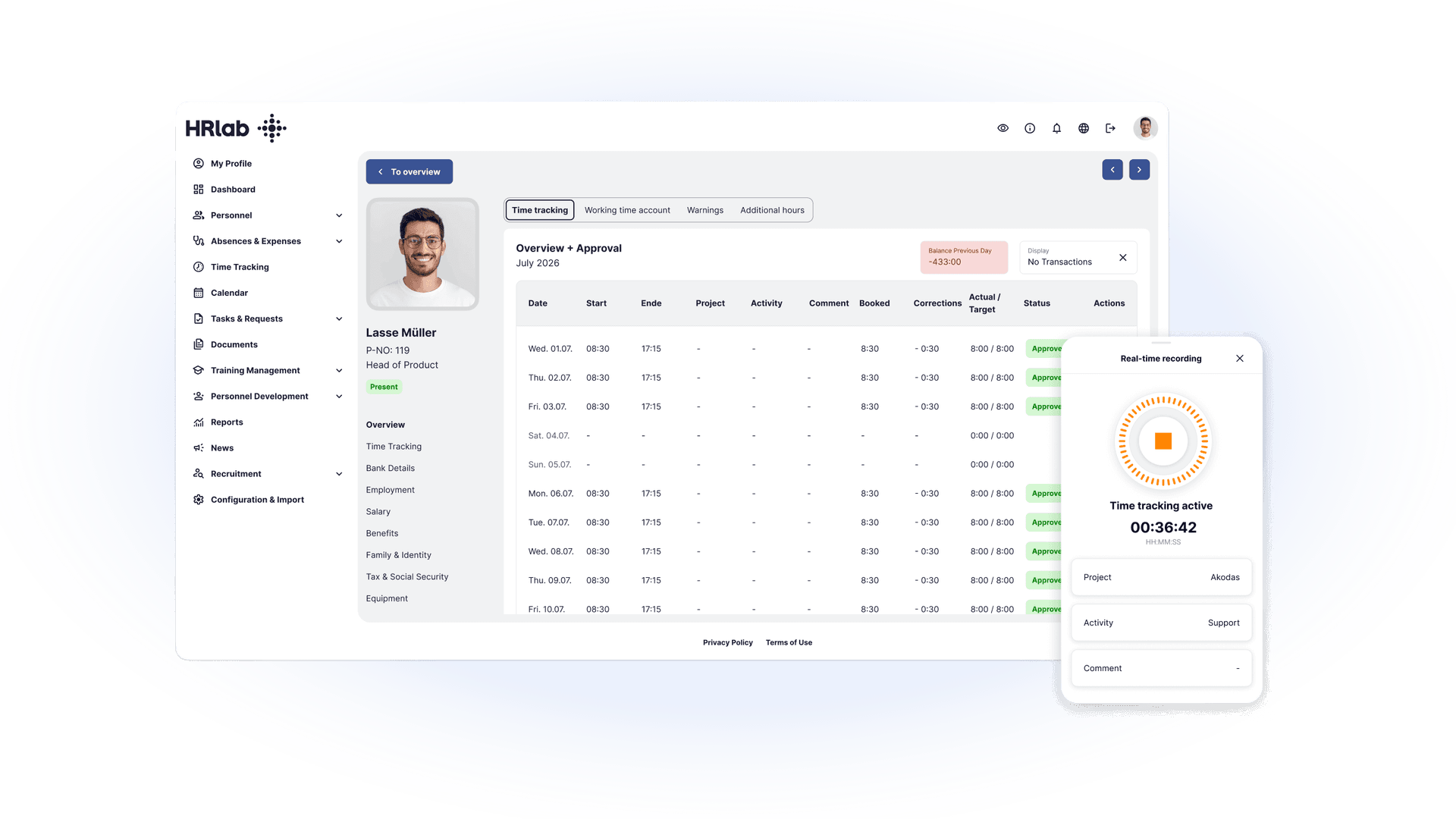
- Mobile time tracking: Employees should be able to log their hours easily via smartphone or browser, ideal for flexible working models and field staff.
- Project and task-based tracking: Booking working time to projects or individual tasks enables precise controlling and reporting.
- Employee self-service: Employees should be able to manage leave requests, sick leave notifications and address changes themselves, taking work off the HR team’s plate.
- Reporting and export functions: The software should provide comprehensive reports and export data in DATEV-compatible formats.
- Support and training: Reliable customer support and training for employees and HR ensure the system is used smoothly.
Case study: a sustainable implementation
In practice, the need for digital time tracking is often the trigger for a broader HR transformation. A good example is the growth story of two-wheeler retail group Bikers Point (around 80 employees). The company originally set out to find a legally compliant digital time tracking solution to replace error-prone paper timesheets. It quickly realised, however, that the real challenge was fragmented HR data.
By switching to an integrated all-in-one HR software such as HRlab, the company implemented error-free time tracking within two weeks. Today it also benefits from automated workflows and task management (e.g. for long-term sickness), digital payslips and a comprehensive employee self-service (ESS) portal. This saves the HR department valuable time on payroll preparation and gives management accurate HR analytics at the click of a button.
3 common mistakes and how to avoid them
Even with DATEV-compatible time tracking, challenges can arise during rollout and day-to-day use. Knowing the pitfalls helps you avoid them early on:
1. Incorrectly configured interface
The interface must be set up correctly for working hours, absences and supplements to reach DATEV accurately. Run a test before going live to make sure all data is transferred correctly. This lets you spot and fix transfer errors early.
2. Incorrect time entries by employees
Incorrect or incomplete entries often happen because employees don’t use the system properly. Built-in plausibility checks automatically detect inconsistencies. You should also train your team on how to record time correctly to ensure good data quality.
3. Low adoption within the team
If employees don’t use the new system regularly, you won’t see the benefits of DATEV-compatible time tracking. Mobile self-service portals help here, allowing employees to log their hours flexibly and conveniently via an app. A clear benefit for employees (e.g. simple leave requests, transparent time reports) significantly increases adoption.
| Benefit | Description |
|---|---|
| Time savings | Working hours, absences and supplements are recorded automatically and can be sent directly to DATEV. No manual data entry required. |
| Fewer errors | Plausibility checks detect incorrect or incomplete entries and prevent inconsistencies. |
| Transparency | HR teams and managers get a real-time overview of working hours, absences and project hours. |
| Compliance | Time tracking meets GoBD and GDPR requirements. Data is documented in an audit-proof way and transferred encrypted. |
| Greater efficiency | HR processes are streamlined, and data for reporting and payroll is available much faster. |
FAQ
Which HR software can be connected to DATEV?
Many modern HR solutions, such as HRlab, offer a standard DATEV interface (e.g. via DATEVconnect online). This lets you send wages, salaries, absences and other payroll-relevant data directly to DATEV. Make sure your HR software supports a certified DATEV connection or API interface.
How secure is data exchange via the DATEV interface?
Data exchange via the DATEV interface meets the highest security standards. All data is transferred encrypted, and the DATEV data centre is ISO/IEC 27001 certified. Data processing also complies with the legal requirements of the GDPR and the German principles of proper bookkeeping (GoBD).
Is there time tracking software with a DATEV interface?
Yes. HRlab has a standard DATEV interface that makes working hours, absences and other payroll-relevant data available directly for payroll. Data is transferred encrypted in line with DATEV security standards
Which time tracking system integrates seamlessly with DATEV (LODAS, Lohn und Gehalt)?
HRlab comes with interfaces to DATEV LODAS and DATEV Lohn und Gehalt as standard, at no extra cost. You can use them to transfer master data and payroll transaction data directly for payroll, mapped to the correct client account and for several companies at once.