
HR Document Management Systems (HR DMS): Centralized & Compliant Record Keeping
A specialized Document Management System for Human Resources (HR DMS) serves as a central hub that automates administrative workflows while ensuring compliance with complex legal frameworks. For mid-market companies, adopting an HR DMS marks the transition from physical paper files and decentralized network drives to an audit-proof, digital infrastructure.
Key Takeaways
- An HR DMS consolidates all employee records into a single cloud-based environment for immediate access.
- Adherence to GoBD principles guarantees that documents are archived in an audit-proof, unalterable format for long-term retention.
- An integrated HR DMS links personnel documents directly with payroll data, satisfying statutory requirements for electronic payroll record-keeping during social security audits (e.g. BVV Compliance)
- Dynamic text blocks allow HR teams to error-free generate complex documentation like employment contracts and mail-merge letters.
- Employees can upload documents via photo-capture on a mobile app and manage their records independently.
- Bulk generation tools enable simultaneous creation of hundreds of documents, complete with compiled PDF exports for postal delivery.
- Fine-grained permission controls govern visibility across user-, location-, and company-level documents.
What is an HR DMS?
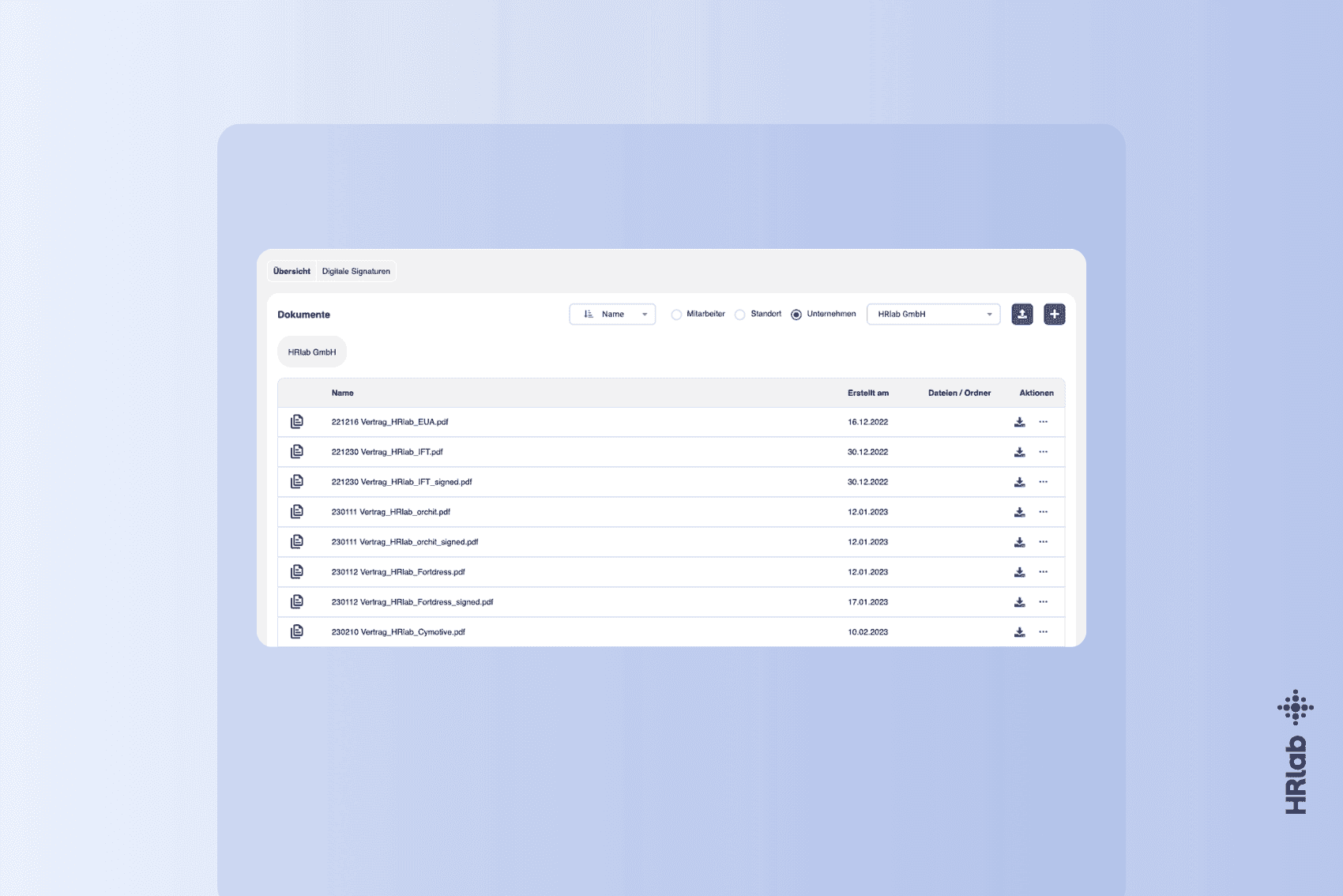
An HR DMS is a software-based solution designed for the digital creation, capture, processing, and long-term archiving of all personnel records. Unlike general-purpose cloud storage or file-sharing utilities, an HR software system with dedicated online document management is specifically tailored to the sensitive demands of human resources. It forms the technical backbone of the digital personnel file, ensuring records are actively embedded into automated HR workflows rather than passively stored.
Technical Standards & Formats
A professional system stands out through data processing flexibility. Cloud-based solutions offer distinct advantages:
- Centralized Cloud Architecture: In cloud environments, the software vendor manages hosting, infrastructure, and automated data backups.
- Standardized Formats: PDF serves as the standard format for long-term archiving, ensuring consistent layout across devices and audit-proof compliance.
- Accessibility & Usability: An intuitive user interface guarantees that employees can access their records effortlessly via the Employee Self-Service (ESS) portal.
Legal Framework & Audit-Proof Compliance
Managing employee documentation is subject to strict statutory requirements. An HR-specific DMS helps organizations fulfill these obligations automatically without manual auditing effort.
GoBD Compliance
In Germany, the principles for the proper management and storage of books, records, and documents in electronic form (GoBD) govern HR record keeping. An HR DMS ensures audit-proof compliance by logging and versioning every document change, eliminating undetected tampering.
Statutory Retention & GDPR Data Protection
Under GDPR, personal data must be erased once the original purpose of processing no longer applies. An HR DMS automates compliance through defined retention schedules (e.g., deleting candidate applications after 6 months or payroll records after 10 years per § 147 AO).
Ordinance on the Procedure for Social Security Contributions (§ 8 Para. 2 BVV)
Starting January 1, 2027, the Contribution Procedure Ordinance (BVV) mandates that all social security-relevant payroll records must be maintained electronically without exception. An HR DMS bridges the gap between HR operations and payroll by linking supporting documentation (e.g., employment contracts, time logs, A1 certificates) directly to payroll records for electronic pension insurance audits (euBP).
How Compliant HR Document Management Works in HRlab
A major advantage of a digital HR DMS over traditional folder systems is fine-grained access management. In HRlab, this is governed through system roles that define which main menu items users can view and what actions (read, create, edit, delete) they can perform.
Document Level Segmentation
To ensure clarity and compliance across mid-market organizations, the system categorizes HR documents into distinct functional tiers:
- User Documents: Files attached directly to an employee profile (e.g., individual employment contracts, payslips). Access is typically managed via the "My Profile" menu.
- Location Documents: Records specific to a regional branch or facility (e.g., local fire safety rules, location-specific quality management guidelines).
- Company Documents: Organization-wide policies and information accessible across the company (e.g., general employee handbooks, travel expense policies).
- Digital Signatures: A dedicated functional role controls access to the electronic signature workflow, ensuring only authorized representatives execute legally binding contracts.
Configuration & Dependency Control
Role configurations are managed centrally and dynamically. Visual indicators (such as dependency info icons) help administrators avoid missing critical access parameters. This protects document confidentiality while maintaining transparency for self-service capabilities.
Practical Case Study: From Analog Friction to 30-Minute Onboarding
At Euro-Union-Assistance, document management was previously paper-bound and manual. Physical personnel files in Stuttgart hindered seamless information flow during expansion to additional sites. Contract generation was especially inefficient, requiring manual data transcription from applicant profiles.
The Solution: Intelligent Document Management
By implementing HRlab, the company digitalized its document management end-to-end, prioritizing centralized access and eliminating manual typing:
- Central Digital Personnel File: Documents are accessible with a single click from any office location. The audit-proof structure replaced physical filing cabinets.
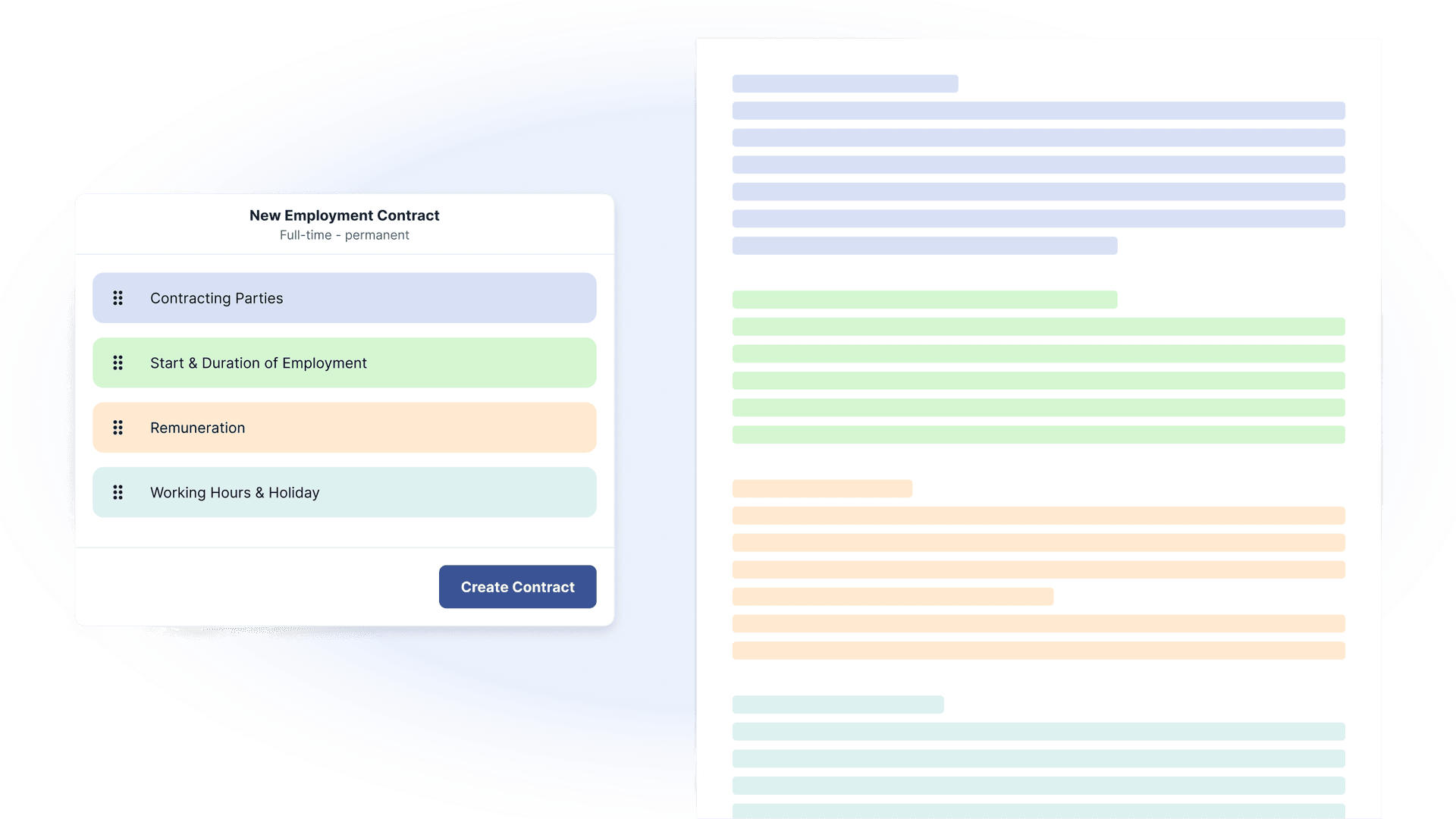
- Dynamic Document Templates: HR creates employment contracts and addenda automatically via placeholders. The system pulls applicant details (name, salary, start date) directly from the ATS module.
- API-Driven Data Flow: When an applicant converts to "Employee" status, automated document generation triggers immediately without manual cross-system data transfers.
- Intuitive Interface: Easy usability allows staff to upload and categorize files (e.g., social security IDs, certificates) without formal training.
The Result: A New Benchmark for Operational Speed
Deep integration between document management and recruiting workflows reduced total hiring administrative time to just 30 minutes. This window covers the complete onboarding documentation lifecycle:
- Automated Contract Generation: Complete contract packages generated via templates in seconds.
- Compliant Digital Signature: Rapid execution without printing, scanning, or physical mailing.
- Complete Record Filing: Automatic sorting and filing of all onboarding documentation.
- Internal Logistics: Immediate data provision to auxiliary departments (e.g., IT, accounting) via the central platform.
Scalability Factors: Mobile App & Bulk Processing
The full ROI of an HR DMS lies in administrative relief. Two key features in HRlab drive this operational efficiency:
1. Template-Based Bulk Generation
Scalability is essential for growing mid-market companies. Using the "Document Templates" hub, HR managers can generate documents for whole locations, departments, or teams simultaneously:
- Automation: The system populates master data into templates automatically (e.g., for company-wide salary adjustment letters).
- Compiled PDF Export: Users can generate a single compiled PDF file for all selected employees—ideal when hard-copy distribution or centralized printing is required.
2. Mobile Document Management via App
Modern accessibility requires location-independent access. Via the HRlab Mobile App, employees can manage their personal document repository on the go:
- Photo Upload: Staff can snap photos of documents (e.g., sick notes, certificates) and upload them directly.
- Offline Access: Crucial records can be downloaded locally to mobile devices.
- Self-Service: Dependent on permissions, employees can create folders, search, sort, and rename files independently.
Typical HR Use Cases in Practice
| Document Type | Function within the HR DMS |
|---|---|
| Employment Contracts | Assembled via dynamic text blocks and executed via integrated e-signature. |
| Mail-Merge Letters | Automated bulk generation for salary adjustments, bonus notices, or company announcements. |
| QM Documentation | Administration of training records and quality management handbooks with read receipts. |
| Safety Compliance Docs | Audit-proof archiving of operational safety records (e.g., explosion protection docs) directly within employee files. |
| Social Security & A1 Forms | Automated linking to payroll records to fulfill statutory BVV audit obligations (§ 8 BVV). |
Return on Investment: Costs vs. Benefits
While adopting an HR DMS requires upfront investment in software licenses or cloud subscriptions, these costs are rapidly recouped through administrative time savings. Eliminating manual data entry and search times transforms HR from a reactive administrative back-office into a strategic business partner.
Documents play a massive role in HR—employment contracts, side agreements, employment certificates. Generating these manually consumes immense time, which is why customizable templates available at the click of a button make a transformative difference.
FAQ
Where is data hosted in HRlab?
HRlab hosts data exclusively in certified high-security data centers in Kempten and Berlin via our German hosting partner, ID.KOM—100% compliant with GDPR standards.
What is the difference between a digital personnel file and an HR DMS?
The digital personnel file is the structured digital folder where records reside. An HR DMS is the underlying software engine that enables audit-proof security (GoBD), automated workflows, and granular permission architectures for compliant handling.
Why is BVV compliance a compelling reason to introduce an HR DMS?
-
HR & Payroll Integration: BVV rules require auditors to see payroll data in context. An HR DMS within an HR suite like HRlab links payroll slips directly to underlying employment contracts and pension exemption proofs in one place.
-
Format & Structure: BVV prohibits unstructured file dumps. An HR DMS enforces strict single-file assignment per employee required by law.